

Concerned about privacy? We’re rolling out a brand new ALIAS feature, which allows you to select a unique username for use on Quirky, instead of your full name.
Setting up your alias is easy.
1. Go to your My Profile page and click on the “Edit My Profile” link.
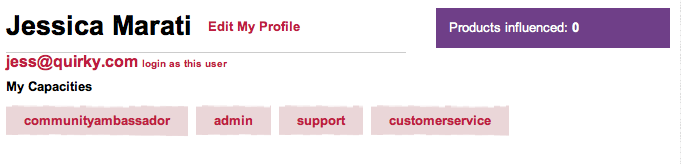
2. Click on the “Would you like to use an alias?” link.

3. Choose your alias. A few things to keep in mind:
- Username must be between 4-50 characters.
- Username must contain a combination of letters and numbers (no spaces, underscores, dashes, or other special characters).
- Username must not be taken by another user.
Once you have the perfect moniker in mind, enter it into the form field, check the box, and click the button.
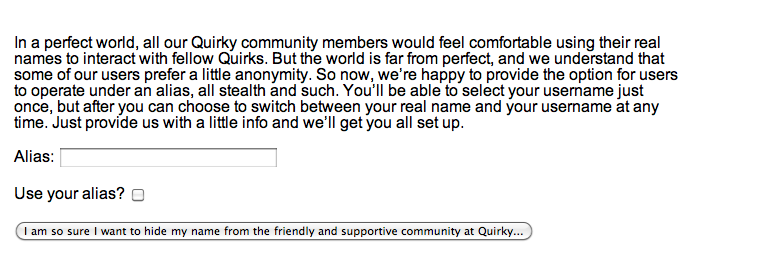
All set!
Please note that Quirky is not liable if you feel like channeling a certain ass-kicking undercover CIA agent.

